Introduction – Your Phone Is Enough for Stunning Doll Shots
You don’t need a professional camera to capture beautiful, realistic photos of your sex doll. Modern smartphones have incredible cameras, and the right apps can turn simple snaps into magazine-quality images. This guide recommends the best free and paid mobile apps for doll photography – focusing on editing, lighting simulation, posing references, filters, and easy workflows – perfect for beginners and enthusiasts who want natural, artistic results.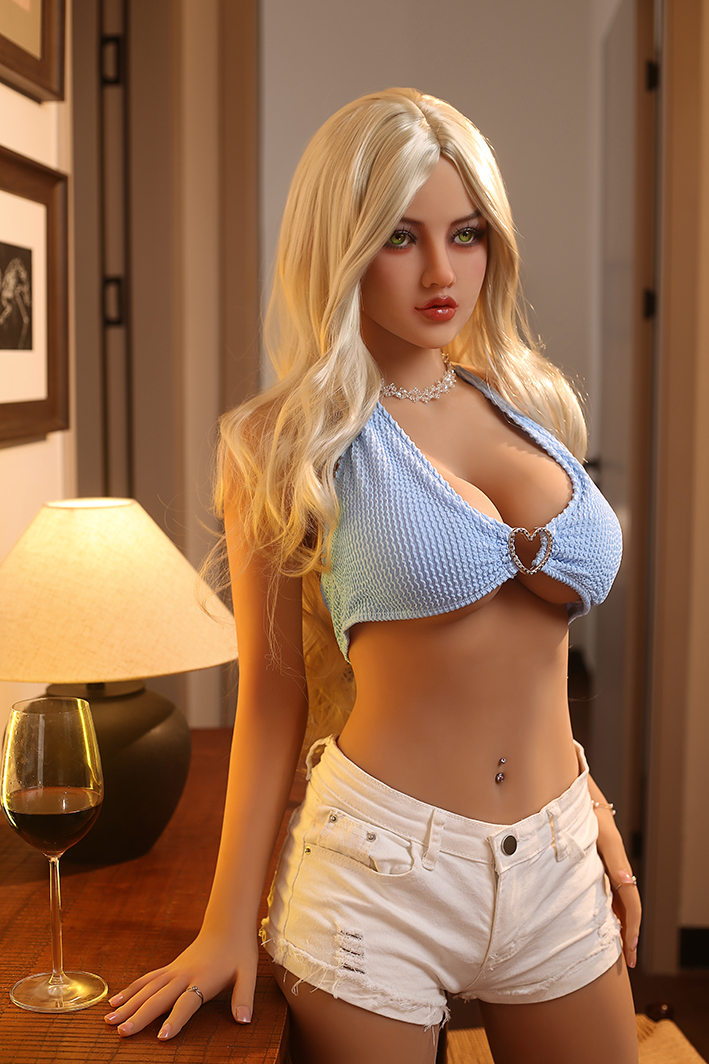
1. Editing & Post-Processing – Make Photos Look Pro
Top Recommendation: Lightroom Mobile (Free / Premium $4.99/mo)
Why it's best: Professional color grading, exposure control, selective adjustments, presets
Doll-specific tips: Use "Dehaze" for skin texture, "Clarity" for details, "Warmth" for lifelike tones
User favorite: “Lightroom presets make my doll look like a real model in seconds.”
Alternative: Snapseed (Completely Free)
Google’s powerful free editor – healing tool for blemishes, curves for contrast, selective filters
Great for quick fixes on phone
2. Lighting Effects & Atmosphere – Simulate Studio Light
Top Pick: ProCamera or Halide (Paid, ~$5–10 one-time)
Manual controls: ISO, shutter, focus – perfect for low-light candle scenes
Live preview + RAW support for better editing later
Free Alternative: Adobe Photoshop Express
Built-in lighting overlays (soft glow, bokeh, vignette) – adds romantic mood
3. Posing References & Inspiration
Best App: ArtPose (Free / Pro $4.99)
3D human pose models – rotate and adjust for exact doll posing ideas
Great for planning natural angles before shooting
Alternative: Pinterest or PoseMy.Art (Web/App)
Search “realistic woman poses” – save boards for doll inspiration
4. Background Removal & Compositing
Top Free: Remove.bg (Web + App)
One-tap background removal – place doll in fantasy scenes (bedroom, beach, etc.)
Advanced: PicsArt or Photoshop Express
Layering tools – composite doll into custom backgrounds
5. Filters & Cinematic Looks
Best: VSCO or Tezza (Free / Premium)
Film-like presets – soft tones, film grain for natural skin
Tezza’s “Romantic” or “Warm” packs perfect for intimate shots
Bonus: Afterlight 2
Analog-style filters – adds dreamy, vintage vibe
Quick Workflow for Beginners
Shoot in natural light (window, golden hour)
Use Halide/ProCamera for manual control
Import to Lightroom/Snapseed – adjust exposure, contrast, skin tone
Add soft vignette and warmth
Export – done in 5–10 minutes
Pro Tips from Doll Photographers
Shoot RAW if your phone supports it – more editing flexibility
Use a cheap phone tripod ($10–20) – steady shots
Softbox or ring light ($20–50) – even lighting for portraits
Avoid direct flash – always use diffused light
Conclusion
Your phone, combined with the right apps, is more than capable of capturing breathtaking, natural-looking photos of your sex doll.
Start with Lightroom Mobile (free version) and Snapseed for editing, add ProCamera for better control, and experiment with posing references.
These tools let you create professional-grade images without expensive gear – focus on lighting, soft poses, and subtle edits for that “real woman” feel.
Which app are you downloading first, or do you already have a favorite for doll photos?